
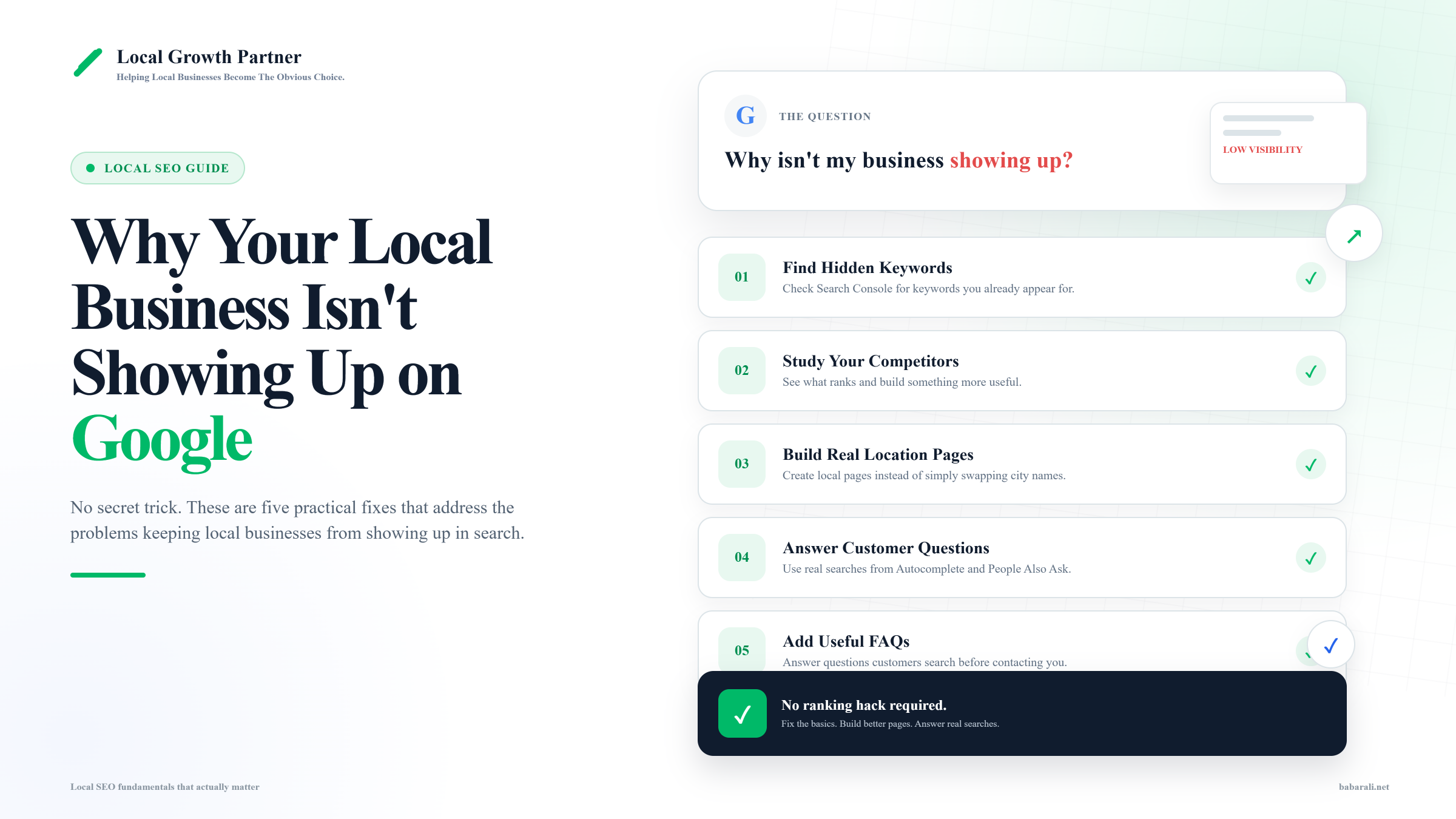
If you searched something like “why is my business not showing up on Google,” you’re probably expecting some hidden trick. I get this question a lot from clients, and honestly, there usually isn’t one.
Most local businesses don’t have a tricks problem. They have a basics problem. They’re skipping things that are simple to fix, and once they fix them, things start moving.
I made a quick video on this with 5 things I’d personally do today if I wanted more local traffic for a business. This article goes deeper into each one, with the actual reasoning behind it.
The Real Reason You’re Not Showing Up Isn’t a Secret Trick
When I audit a website, I’m not looking for some magic fix. I’m checking if the basics are actually done, and done properly, not just checked off a list.
Most businesses skip these basics because they feel too simple to matter. They want something advanced. But Google doesn’t care how advanced your strategy sounds. It cares whether your pages actually answer what people are searching for, and whether your business information is consistent and trustworthy.
Here are the 5 things I’d check first.
1. Check Search Console for Keywords You’re Already Showing Up For
This is one I see in almost every audit. You open Google Search Console, and your homepage or some random page is getting impressions for a keyword you didn’t even target. The business doesn’t have a page for that service at all.
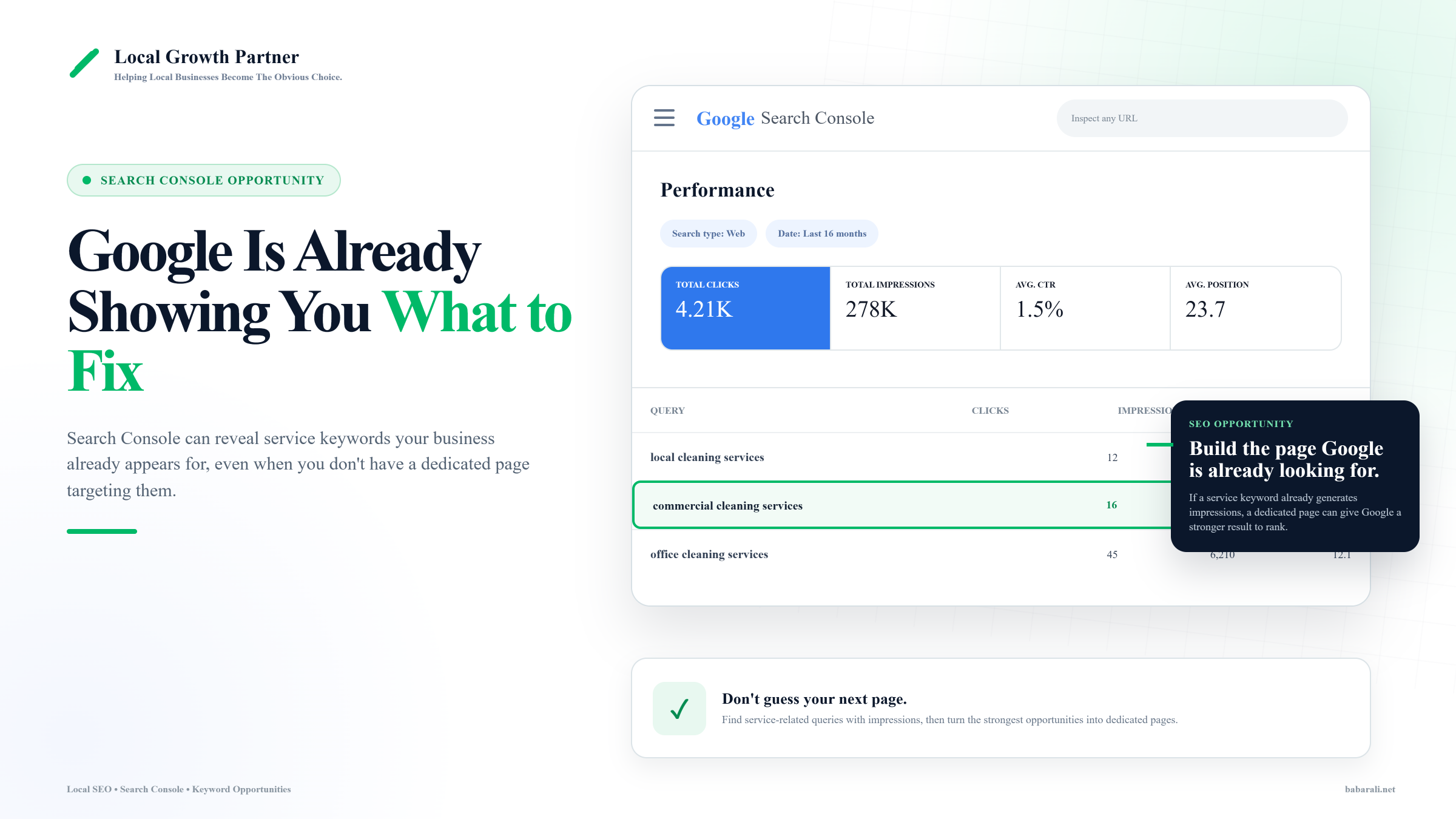
This happens a lot. We open up a client’s Search Console, and Google is already showing their site for searches they have no dedicated page for. Their homepage, or some other page, is picking up the impressions almost by accident.
Once we build a real page for that keyword, it usually starts ranking high pretty fast. Makes sense if you think about it. Google was already trying to show your site for that search. You just gave it the actual page it needed to do that properly. It’s a win-win. You’re not guessing what to write about. Google already told you.
To check this yourself: open Search Console, go to Performance, sort by impressions, and look for any service-related keyword where you don’t have a dedicated page. If you find one, that’s your next page to build.
If you don’t have your Google Business Profile fully set up yet, that’s worth fixing first, since a lot of this data ties back to how your profile and site are connected.
2. Study What’s Actually Working for Your Competitors
Competitor analysis gets thrown around a lot, but most people do it wrong. They just glance at a competitor’s page and copy the structure. That’s not analysis, that’s copying.
What I Actually Check on a Competitor’s Page
When I analyze a competitor, I’m not trying to copy them. I’m trying to understand what’s already working so I can build something more useful, more complete, and more helpful.
Page Structure
How is the page organized? Is it easy to scan? Does the content follow a logical flow that helps both users and Google understand the topic?
H1 Heading
Does the H1 clearly explain the main topic and naturally include the primary keyword?
SEO Title
Is the title optimized for search while also encouraging people to click when they see it in Google?
Meta Description
Does the description accurately explain the page and encourage more clicks from search results?
Keyword Placement
Where and how are keywords used? I check headings, body copy, image alt text, and supporting content without keyword stuffing.
Call to Action (CTA)
What action does the page ask visitors to take? Is the CTA visible and placed where users naturally expect it?
Booking Form or Lead Capture
Can visitors easily contact or book the business? Every unnecessary step reduces conversions.
Frequently Asked Questions
Does the page answer the questions customers are already searching for before they contact the business?
Internal Links
Does the page connect visitors to other useful pages on the website and help distribute SEO authority?
That’s a real audit. Once you see all of that laid out, you ask yourself one simple question. Can I create something more helpful, more detailed, more optimized, and more locally relevant than this. If yes, do it.
This is exactly how we approached a plumbing company we worked with. We checked what was already ranking, found the gaps, and built pages that covered more ground than the competition. That campaign ended up generating 98.61% more organic traffic and 714 new keywords ranking in the top 100, all within 90 days. Not because of some trick. Just because we did the analysis properly and built better pages than what was already out there.
3. Build Real Location Pages, Not Swapped City Names
This is probably the most common mistake I see, and also the most damaging one if you’re in a competitive industry.
Here’s what usually happens. A business has one location page, say for the Bay Area. Then they want to target surrounding areas, so they just duplicate that exact page and only change the city name. Same content, same paragraphs, just a different town mentioned at the top.
Animated example comparing two duplicated location pages, showing how adding unique local content lowers duplicate risk.
Interactive example
Why simply changing the city name doesn't work
Google isn't comparing city names. It's comparing the entire page. See what happens when the only thing that changes is the location.
Emergency Plumber in San Jose
Page comparison example
Illustrative example, not a live scan of your site
Emergency Plumber in Oakland
This used to work, and honestly, it still works in some low competition niches. But if you’re a plumber, dentist, or roofer, this approach is going to cause you problems. These are competitive industries, and Google can tell when pages are basically duplicates of each other with a find-and-replace on the city name.
A real location page needs actual local information. Mention specific neighborhoods or landmarks in that area. Talk about service details relevant to that location, like response times or any region-specific situations you handle. Add examples or even testimonials from customers in that specific area if you have them. The goal is that someone reading the page should be able to tell it was written for their city, not copy-pasted from another one.
Don’t Build Location Pages Without a Checklist.
Most location pages fail because they leave out important local signals. Before you publish one, make sure you’ve covered everything Google and your potential customers expect to see.
Our Local SEO Checklist includes 80+ weighted tasks, including a complete breakdown of what belongs on every location page, so you can build pages that have a much better chance of ranking.
View the Local SEO Checklist →4. Find the Questions Your Customers Are Already Asking
Tools like Answer the Public, Google Autocomplete, and People Also Ask can give you dozens of real content ideas in minutes. These aren’t made up topics. These are questions real people are typing into Google right now.
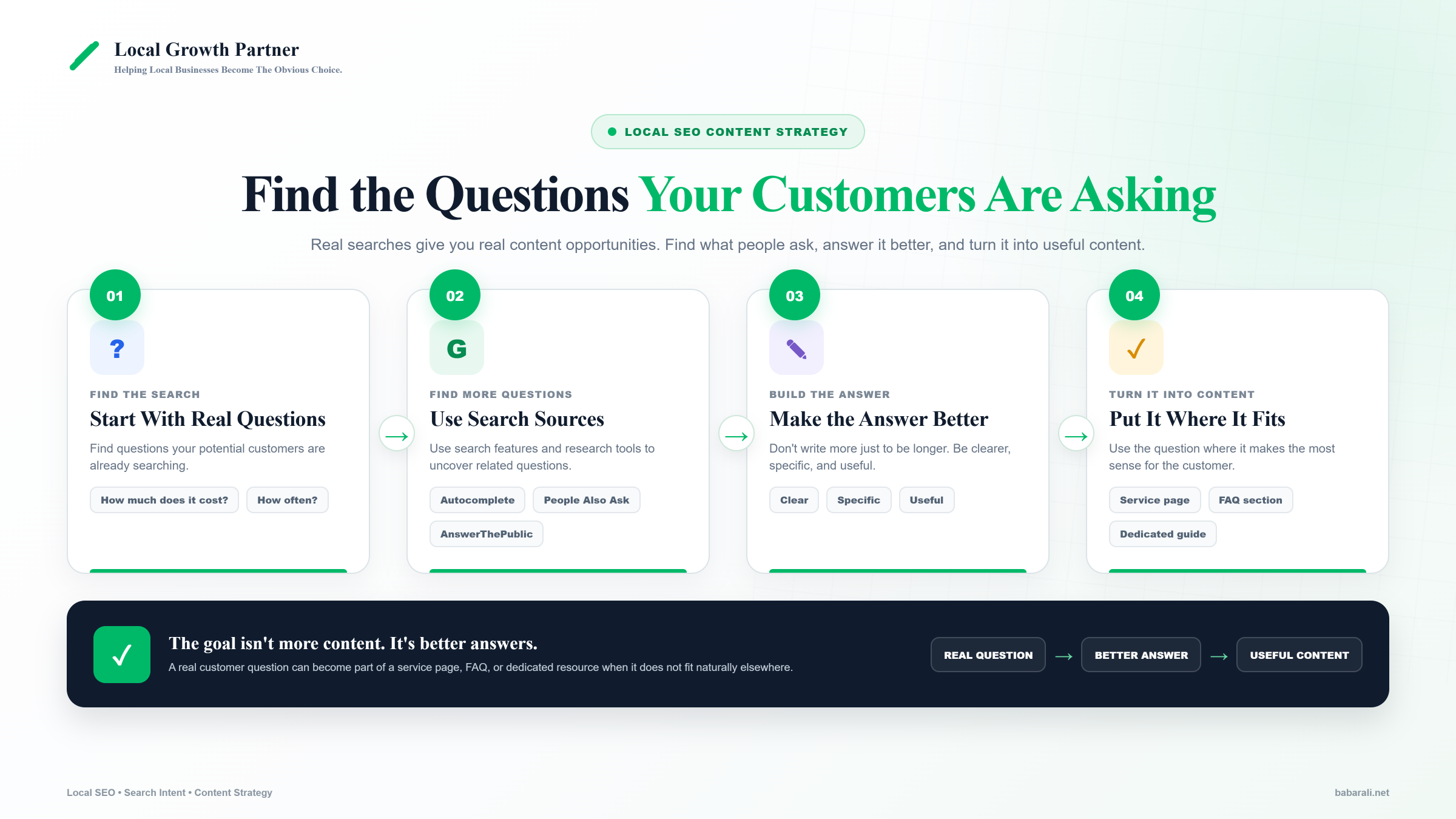
Once you have the list, your job is to answer them better than your competitors are answering them right now. Not longer for the sake of being longer. Just clearer, more specific, more useful.
We cover these questions smartly across different parts of a page. Sometimes a question becomes a subheading within a service page. Sometimes it goes into the FAQ section of that same page. And if it doesn’t fit naturally anywhere on that page, we usually have a dedicated FAQ page on the site where it can live instead.
The point is these questions shouldn’t get ignored just because they don’t fit your existing content. They tell you exactly what your potential customers want to know before they call you.
5. Add FAQs to Your Service Pages, Pulled From What’s Already in Search
Search your main service in Google right now. Look at the People Also Ask section that shows up. Those are real questions people are asking about businesses like yours.
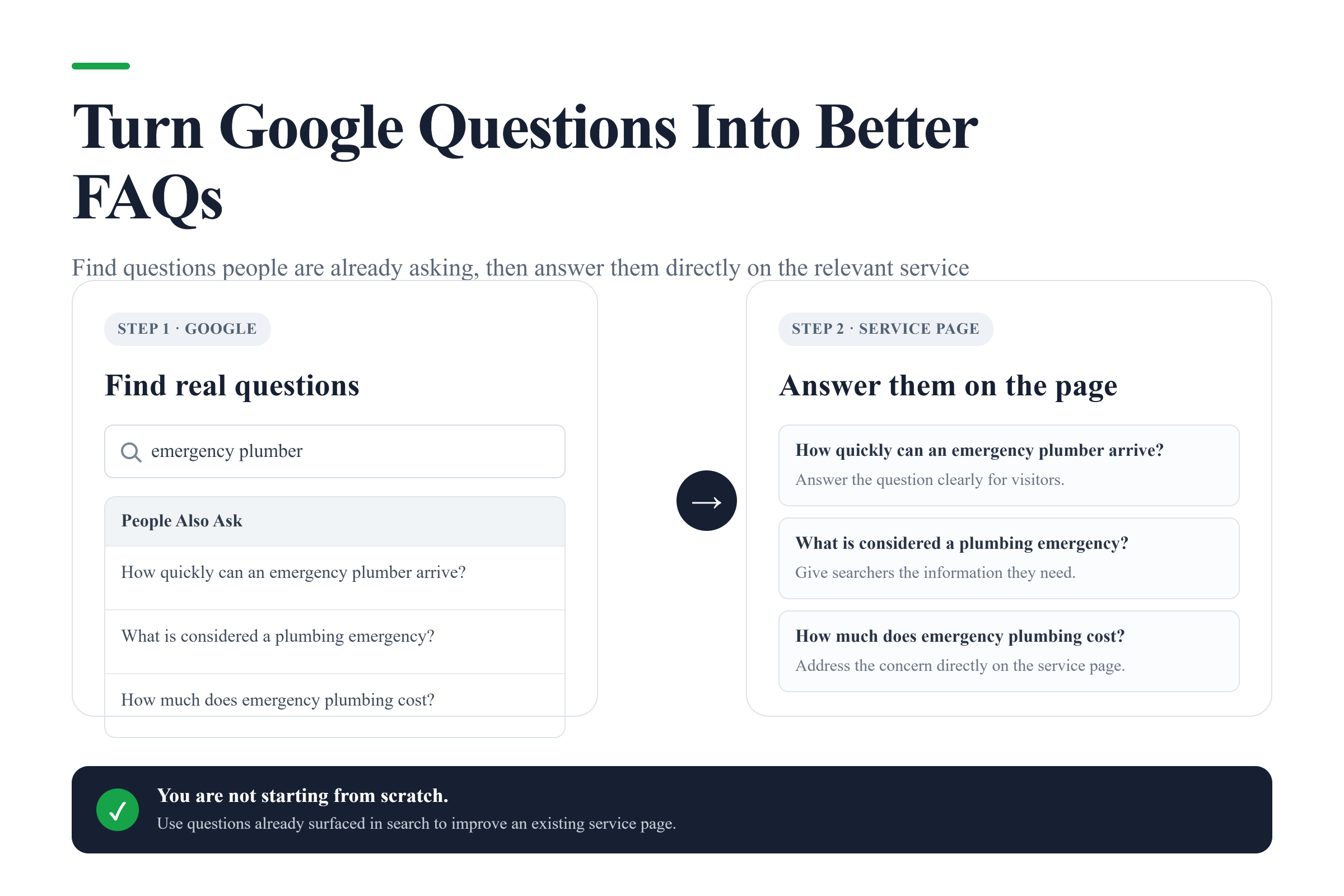
Take those questions and answer them directly on your service page, in an FAQ section. This does two things. It gives visitors the answers they’re looking for without making them dig, and it gives Google clear, structured content it can use to understand exactly what your page covers.
This is one of the fastest improvements you can make to an existing page. You’re not writing new content from scratch. You’re just answering questions that are already proven to be searched.
The Pattern Behind All Five Fixes
Look back at all 5 of these. None of them are tricks. They’re all just doing the basics properly, and doing them consistently.
Most businesses don’t need to chase the next algorithm update or some new ranking hack. They need to build the pages Google is already trying to show, study what’s actually working for competitors instead of guessing, build location pages that are genuinely useful to that area, and answer the real questions their customers are asking.
That’s it. Do these consistently, and you’ll likely outperform competitors who are still looking for shortcuts.